Piano App vs. Online Piano Lessons
Practice tools. Teacher help. What do you need?
An app can help you repeat. A lesson can explain. A teacher can respond to your playing. Choose the mix that helps you move forward.
7 days free, then $19.95/month. Payment method required.
Cancel before day eight to avoid billing.

More student stories →“He was the first teacher who understood...I just wanted to enjoy my keyboard. The lessons are enjoyable and enlightening.”
Anne S., Learn Piano Live student
Different kinds of help belong at different moments.
Instant practice signals can be useful. So can a teacher who spots why a passage feels awkward. The question is what is holding you back right now.
On this page
What a piano app does well
An app can make it easy to begin a short practice session. It can present notes or rhythms, track repetitions, award progress, and respond immediately to a microphone or MIDI signal. That is valuable when the problem is consistency, recognition, timing against a grid, or repeated recall.
Automated tools are also patient. You can repeat the same item without feeling that you are wasting another person's time.
What automated scoring may not understand
A correct pitch at the correct time is not the whole performance. An app may not reliably identify tension, inefficient fingering, balance between hands, tone, phrasing, pedaling, the reason behind a repeated mistake, or whether the exercise fits your musical goal. It may reward completion even when the student has misunderstood the idea.
Those limits do not make the app bad. They define the questions for which human judgment is still useful.
Compare the options by learning need
| Need | Practice app | Recorded lesson | Live or personal feedback |
|---|---|---|---|
| Immediate repetition | Excellent | Limited | Not the best use of teacher time |
| Concept explanation | Varies | Strong when well designed | Can adapt the explanation |
| Personal diagnosis | Limited to sensed data | None by itself | Strong |
| Musical interpretation | Limited | Can demonstrate | Can respond to your choices |
| Flexible schedule | Excellent | Excellent | Asynchronous feedback is flexible; live meetings require a time |
On smaller screens, swipe the table to see every column.
A hybrid can use each tool for the job it handles best
Learn Piano Live uses Music Toolbox for practice tasks, a lesson archive and courses for explanation, Klopol Academy for sequence, and Jamin's video feedback for personal diagnosis. The student does not need a teacher watching every repetition, but also does not have to guess indefinitely when the result is wrong.
A simple decision rule
- Choose an app when motivation and repetition are the main problems
- Choose a recorded course when explanation and sequence are the main problems
- Choose a teacher when diagnosis and adaptation are the main problems
- Choose a hybrid when you need flexibility and occasional human judgment
Your needs can change. A beginner may start with structured instruction, use an app for note practice, and request teacher feedback when technique or sound becomes the limiting factor.
You have a teacher to turn to.
Jamin Coller personally reviews members’ submitted playing. Share a short video, explain what feels difficult, and get guidance for your next practice session. You can ask before it sounds perfect.
Meet Jamin →MUSIC TOOLBOX · FREE TO USE
You can start with the app. It’s free.
Explore the tools for yourself. Add lessons and personal feedback when you want a teacher’s help.
Open Music Toolbox No signup or payment details required.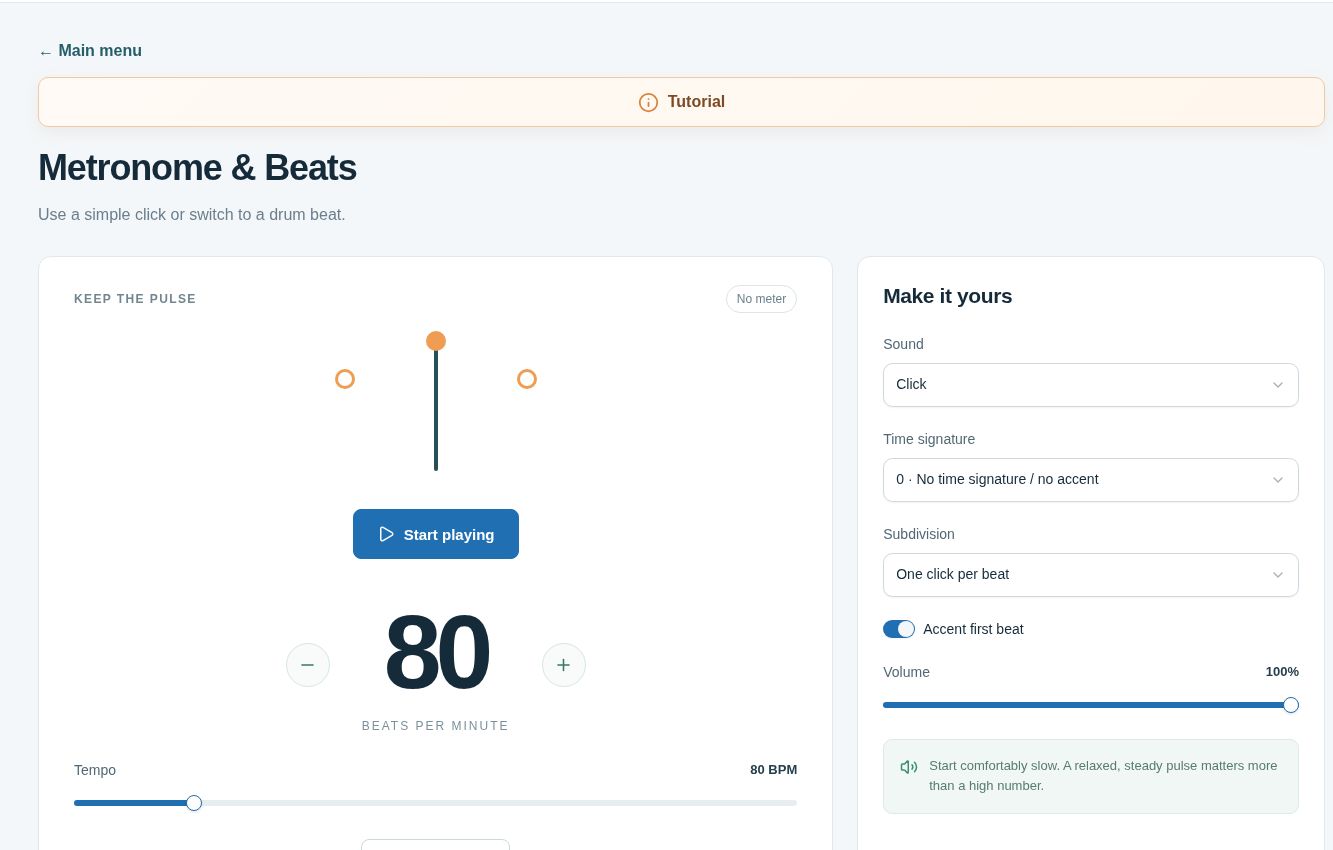 Real tools. Ready when you are. ↗
A few things you might be wondering.
Can an app tell if my fingering is wrong?
Some apps can infer limited information from camera, microphone, or MIDI data, but a teacher can interpret the movement in context and explain why another fingering may be more efficient.
Are online lessons less flexible than an app?
Recorded lessons and asynchronous feedback can be used on your schedule. A scheduled live lesson is less flexible but provides immediate conversation.
Does Learn Piano Live include an app?
Music Toolbox is the interactive practice area included with membership. It works alongside lessons, courses, the Academy, and personal video feedback.
Do I have to choose only one format?
No. Apps, recorded lessons, live instruction, and personal feedback can complement one another when each has a clear purpose.
Find out what personal feedback changes.
Seven days of complete digital access. Explore a lesson, work through a course, and send Jamin your playing for personal feedback.
Then $19.95 / month
One digital membership for your household.
Payment method required. Monthly and annual plans bill on day eight unless canceled first. One trial per customer. Lifetime has no trial.